Troubleshooting
When status blocks an action
Check research and distribution status separately to see what you can do now.
The names, email addresses, and team details shown are fictional examples for illustration.
Before you start
Research status and individual distribution status are separate. First identify which screen and action you need.
Step by step
-
Check the research status in the list
Check the status beside the title in Research. Draft allows question and logic editing. Ready and Distributing allow new distributions. For Ended research, review existing distributions and any participation records.
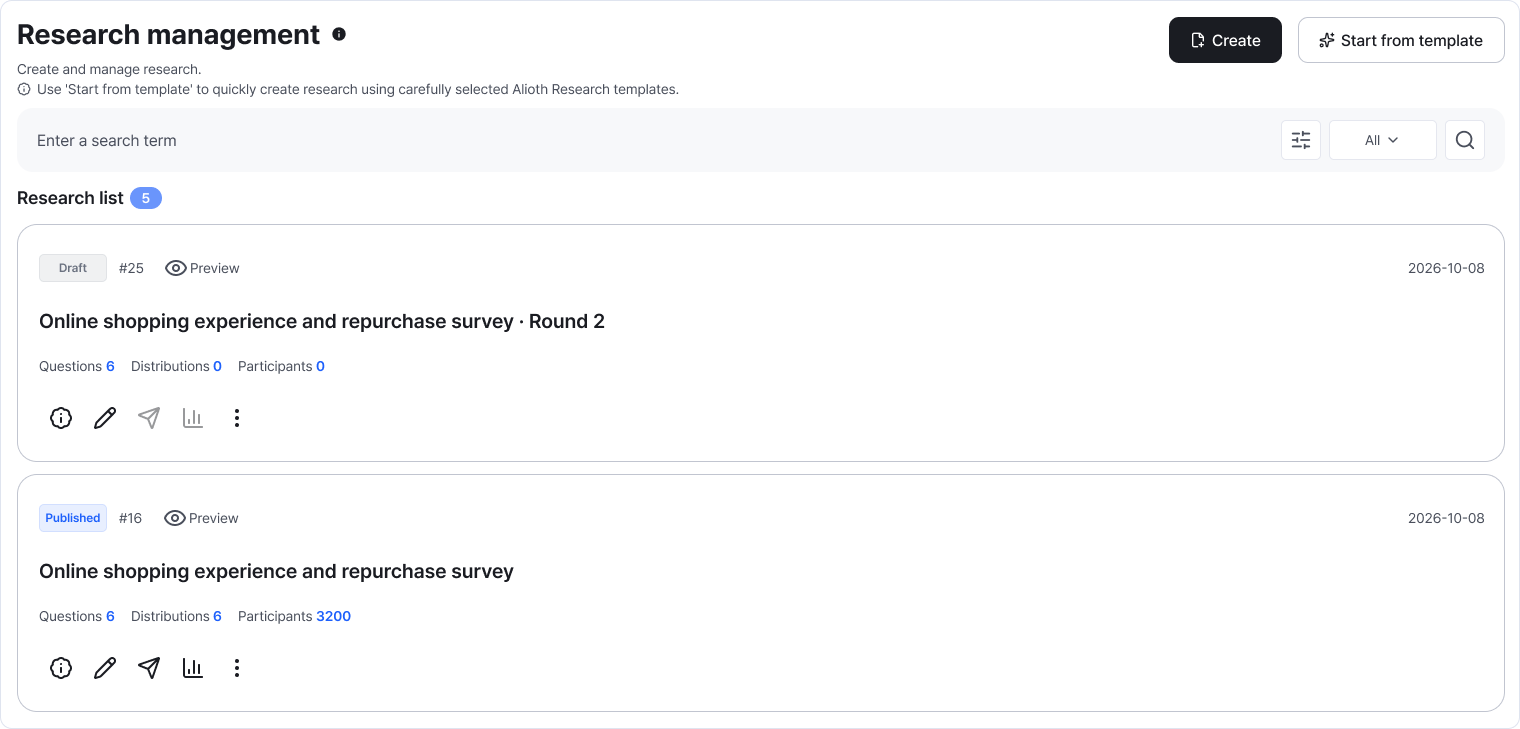
The status beside the title shows the current stage. This example shows Draft and Ready. Enlarge image ↗ -
Review draft questions and prepare distribution
For a draft, write at least one question and test Preview. Choose Prepare distribution and confirm to open distribution. Cancel if more editing is needed.
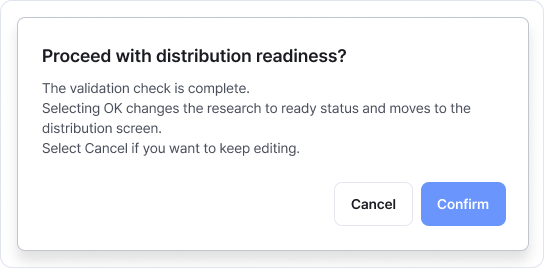
Confirm completes editing and opens distribution. Choose Cancel to keep editing. Enlarge image ↗ -
Fix the items flagged for attention
Find the question number or title in the notice. If asked to open Set logic, confirm and check branch destinations. After fixing, try Preview and preparation again.
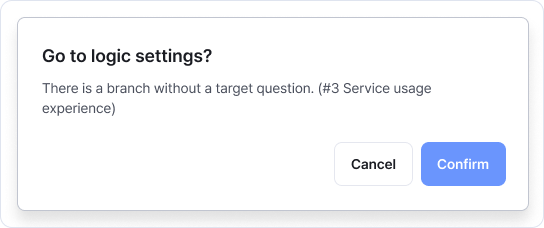
Check the question mentioned in the notice. Confirm in this dialog opens Set logic. Enlarge image ↗ -
Check each distribution's status on the distribution screen
Edit an inactive distribution from its action menu. Active distributions can't be edited. Ended research can't start or add distributions; review its existing distributions and results instead. For date, audience or usage notices, check those settings.
Check that you're done
Continue according to the current status: edit and preview drafts, distribute finished research, and review data from ended projects.
If you need help
If status is correct but actions are unavailable, check workspace and role. If preparation warnings repeat, review the named questions and branches. Contact support with the message and attempted action if needed.
Was this guide helpful?
Tell us if something was unclear or missing.
Send feedback on this guide →