Create research
Set up branching
Skip questions or end participation based on each answer.
The names, email addresses, and team details shown are fictional examples for illustration.
Only owners, administrators and editors can create or edit research.
Before you start
Save your questions before choosing Set logic. You can skip this if everyone answers in the same order.
Step by step
-
Decide whether everyone follows the same order
Without branching, participants move to the next question automatically. Add a branch only when a particular answer should lead to another question or end participation.
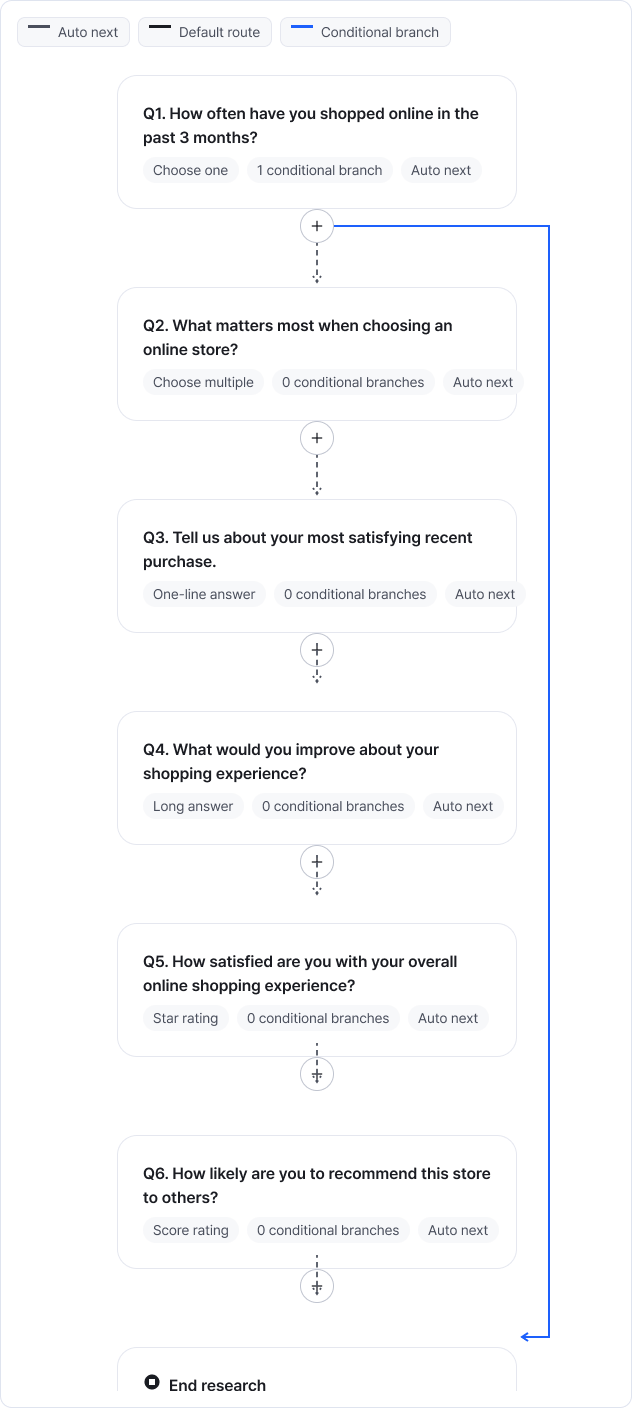
Use the full flow to review question order and routes. Enlarge image ↗ -
Choose the condition and destination
Open the question's branch-editing panel. Add a condition and choose the answer and destination. In this example, choosing I don't use it for Q1 ends the research.
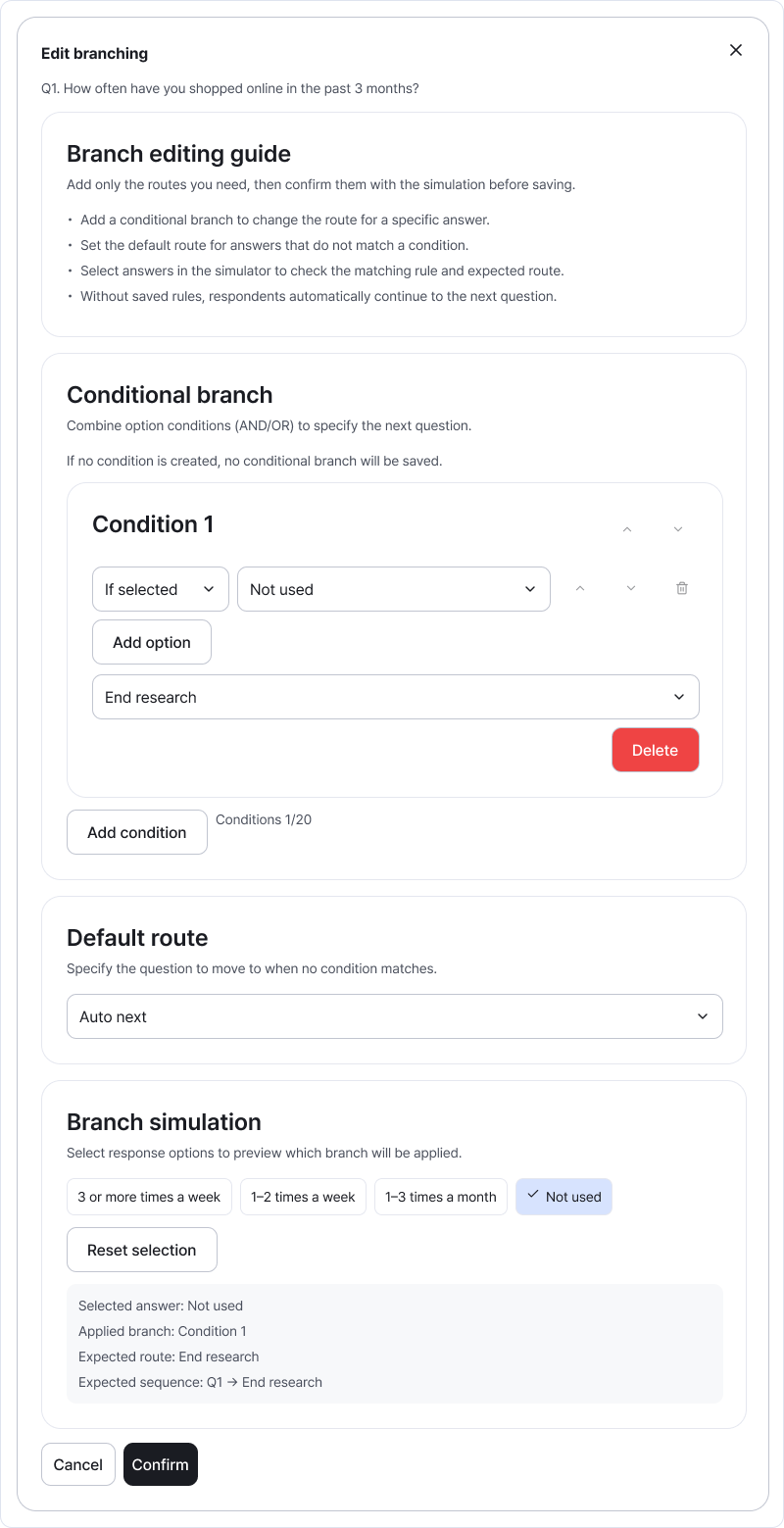
Check each answer condition alongside its destination. Enlarge image ↗ -
Check the route when no condition matches
Default routing applies when no condition matches. Use automatic routing to continue to the next question. In this example, other answers continue from Q2.
-
Try different answers in the simulation
Scroll down the panel to the branch simulation. Select options and check the expected destination and response order. Test both matching and non-matching answers, then Confirm to save. Check the same routes in Preview too.
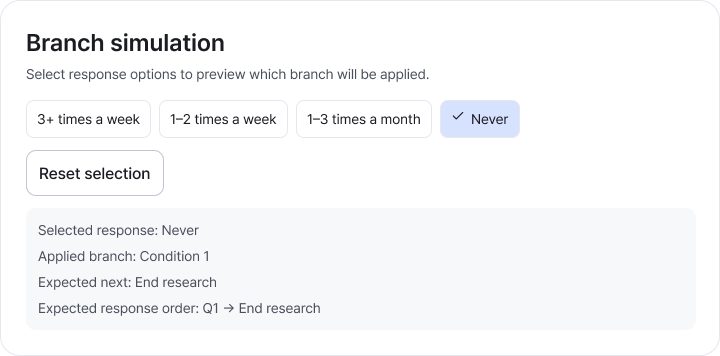
The example selects I don't use it. Check that the destination and sequence lead to the research end. Enlarge image ↗
Check that you're done
The example is ready when I don't use it ends participation and other answers continue to the next question.
If you need help
Wrong destination? Review that question's conditions and default route. After changing questions or options, check connected branches and Preview again.
Was this guide helpful?
Tell us if something was unclear or missing.
Send feedback on this guide →