Create research
Review research details
Check the introduction, questions and branching together before deciding what to do next.
The names, email addresses, and team details shown are fictional examples for illustration.
Only owners, administrators and editors can edit or delete research.
Before you start
Select Details on the research card. Check the title and status on the top card to make sure it's the right project.
Step by step
-
Read the introduction and completion message
In Basic information, review the title, introduction, completion-page title and thank-you message. Check that first-time participants have enough guidance.
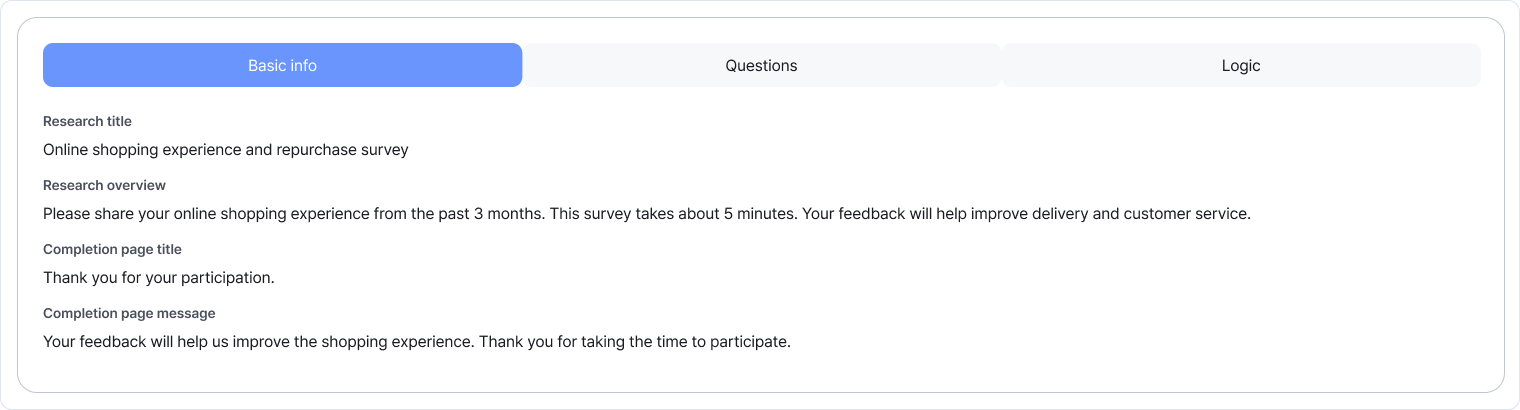
Use the three tabs to review different parts of your research. Enlarge image ↗ -
Review the question sequence
Read the Questions tab in order. Each card shows the answer type, whether it's required and the number of options. Read the options too to spot repetition or difficult questions.
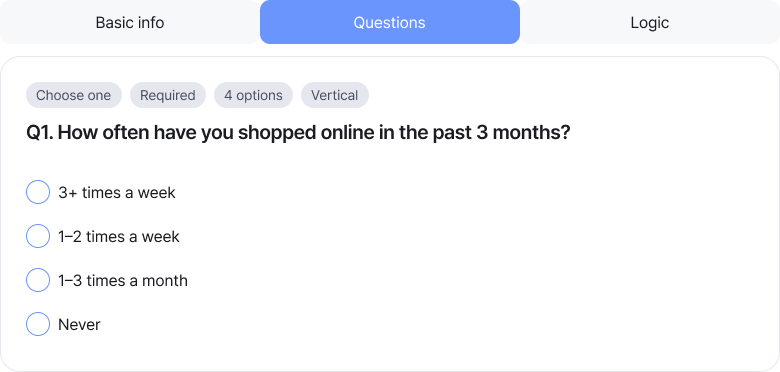
This is the first question in the tab. Review its type and required status above, and options below. Enlarge image ↗ -
Check answer-dependent routes in Logic
The Logic tab shows question order and answer-based routes. Use the legend for automatic, default and conditional routes. Scroll down to check the final question and end point.
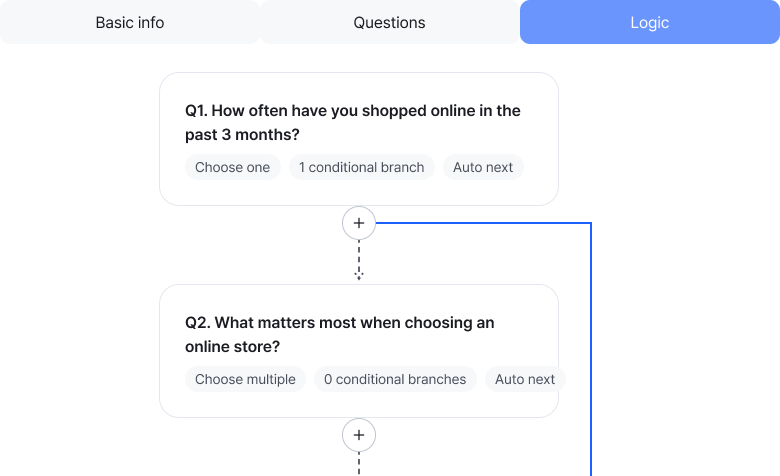
This example shows the top of Logic. Follow the automatic routes and blue conditional route, then scroll through to the end. Enlarge image ↗ -
Open editing if anything needs changing
Details is for reviewing the content. Choose Edit on the card to make changes, or Preview to see the participant experience.
Check that you're done
You're done when you've reviewed the introduction, question order and routes, and identified any needed changes.
If you need help
No questions? Add them in question editing first. If editing is restricted, check the research status. To reuse distributing research, copy it from the list as a new project.
Was this guide helpful?
Tell us if something was unclear or missing.
Send feedback on this guide →