Subscription & billing
Check your plan and usage
Review your plan and remaining allowance, and find your subscription controls.
The names, email addresses, and team details shown are fictional examples for illustration.
Before you start
Open Plans & billing from the left menu. Members see Plan & usage instead. The workspace name at the top tells you which workspace's plan you're viewing.
Step by step
-
Check your plan and access period
Current plan shows whether you're on FREE, STARTER, PRO or TEAM. A nearby status indicates free access, active access or an upcoming end.
For a paid subscription, check Next renewal. A canceled subscription shows the access end date instead. Use Current usage period and Usage resets to interpret the usage below.
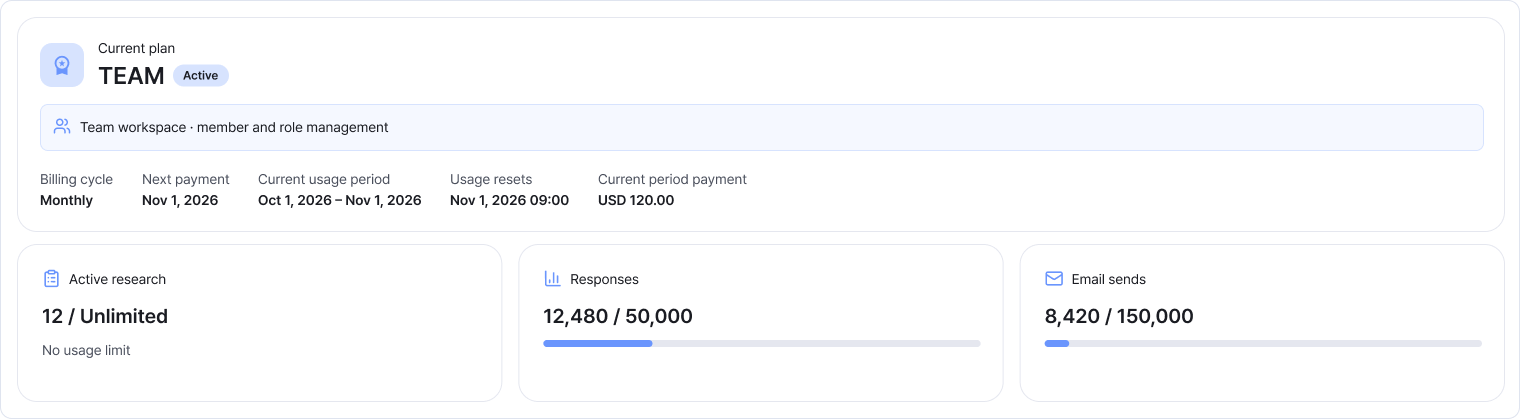
The example shows an active TEAM plan. Check the separate fields for the payment date and usage reset date. Enlarge image ↗ -
Review the three usage counters
Active research: your current active research count and plan limit. Unlimited means there's no limit on the number of research projects.
Responses: the number used during the current usage period and your limit.
Emails: the number sent during the current usage period and your limit.
12,480 / 50,000 means you've used 12,480 of 50,000 available. A longer bar means you're closer to the limit. Refresh at the top right for the latest values.
-
Members can view plans and usage
Authorized members can check the current plan and usage in Plan & usage. The billing account owner manages payment history, cards, cancellation and refunds.
Ask the owner if you need a plan change. If you see a viewing-permission notice, contact the workspace owner.
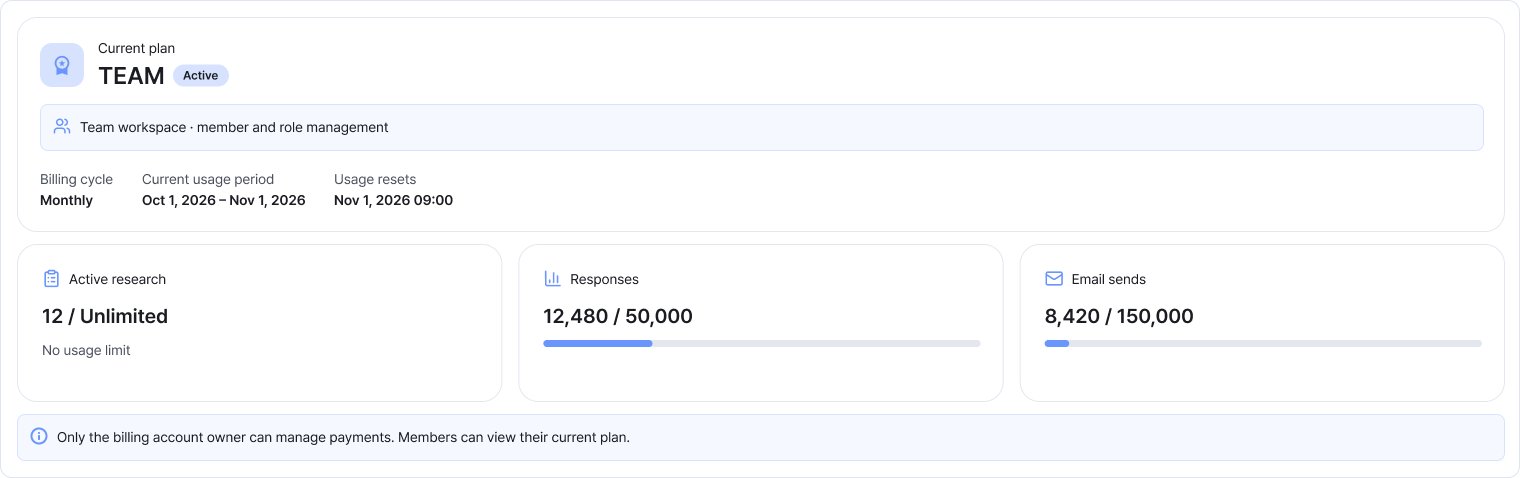
Members see plan and usage details and a permissions notice. Payment management buttons aren't shown. Enlarge image ↗ -
Choose the guide for your next task
To start a paid plan or change your card, see Subscribing and payment methods.
See Payments and receipts for payment status and receipts, or Canceling renewal and requesting a refund to stop renewal or request a refund.
Check that you're done
You're done when you've checked the plan, status, usage period and limits. The billing account owner can carry out any subscription or payment changes.
If you need help
Does the menu name look different? Members see Plan & usage.
Missing payment buttons or history? Check your workspace and role, then ask the owner.
Usage looks unexpected? Check the usage period and refresh.
See Payment overdue or Ending soon? Check the status, dates and payment history.
Was this guide helpful?
Tell us if something was unclear or missing.
Send feedback on this guide →